

EFILive AutoCal Vin License
EFILive AutoCal Vin License is backordered and will ship as soon as it is back in stock.
Care information
Care information
Display general product information or specific product information using metafields.
Delivery and Shipping
Delivery and Shipping
Add some general information about your delivery and shipping policies.

EFILive AutoCal Vin License

EFILive AutoCal Vin License is backordered and will ship as soon as it is back in stock.
Highlight title
Text to highlight a key feature of your product
Description
Description
AutoCal customers may purchase additional VIN licenses to tune additional controllers. AutoCal is pre-configured with a maximum VIN license slot capacity of one and ships with one VIN license.
Required Information
- Device Type
- Serial Number
- Authorization Code
Instructions for finding serial and auth
- Connect your FlashScan or AutoCal V3 device to your PC.
- Start the EFILive Scan and Tune application.
- Click the F7: Licenses button in the left-hand pane.
- The serial number will be shown in the Serial Number field.
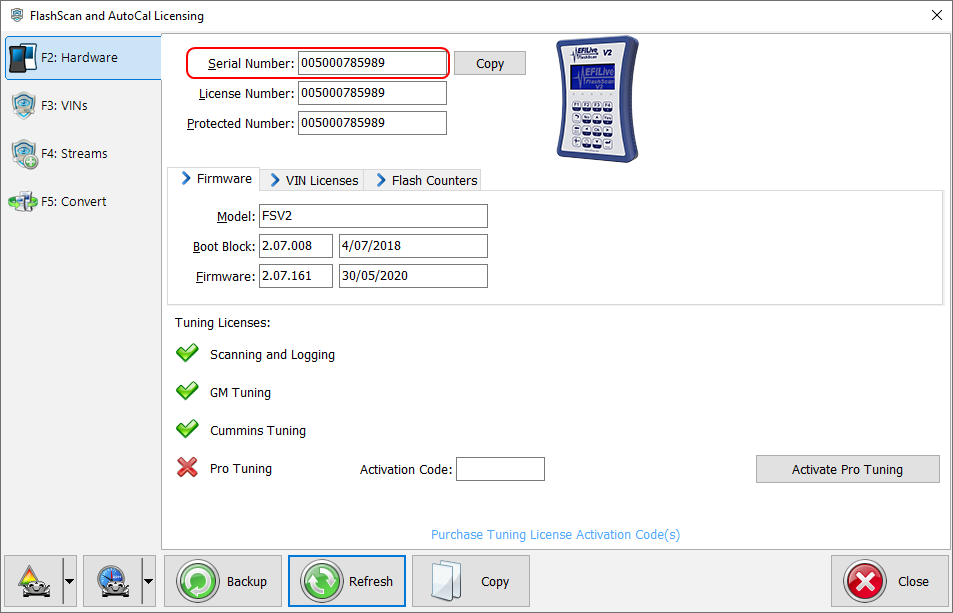
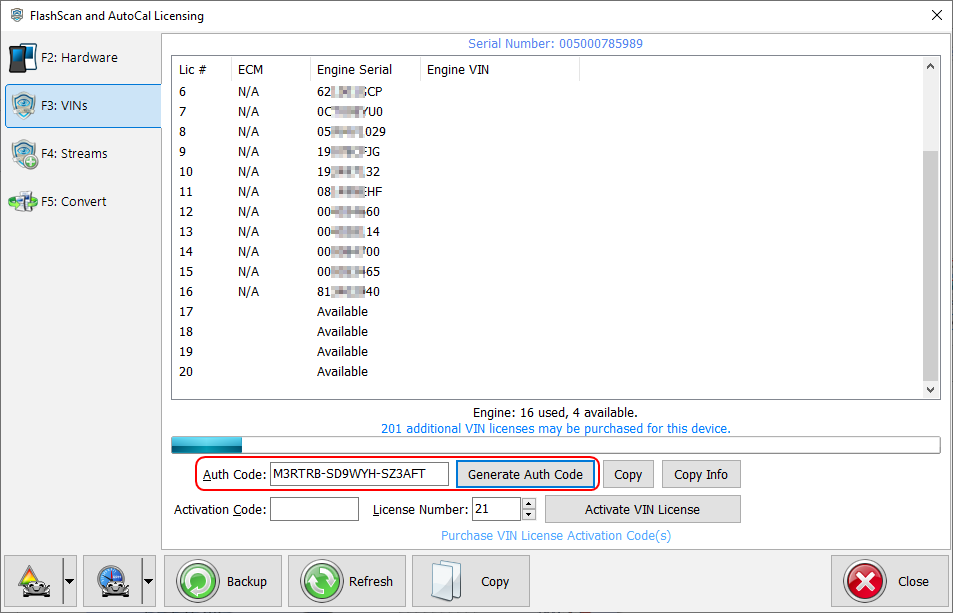
- Click the F3: VINs button in the left-hand pane.
- Click the [Generate Auth Code] button. The Authentication Code will be shown in the Auth Code: field. Note: An Auth Code is not applicable to a Scan Only product, only devices with a Tuning Option license.
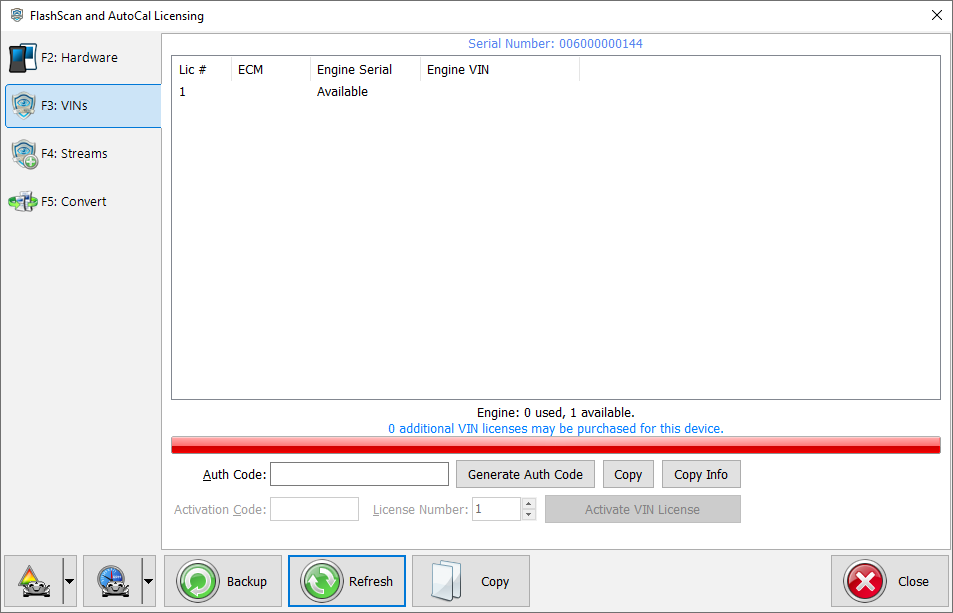
- If generating the serial and auth-code to place a VIN License order, the number of additional VIN licenses that may be purchased for the device must be greater than zero. Where available license slots is zero, customers will be unable to generate an Auth Code to order VIN Licenses until the VIN License slot count is increased. Tuners manage maximum VIN license slots for their AutoCal customers.
Payment & Security
Payment methods
Your payment information is processed securely. We do not store credit card details nor have access to your credit card information.
Product features
Use this section to highlight specific product features to your customers.
Product comparison grid
Add content here to explain a bit about the range of products on offer and which ones may be most suitable for your customers.
